Create Your Signature in Seconds
Type your name, let the AI style it, or draw it by hand. Pick a mode below, fine-tune it, and download a clean signature you can drop into contracts, PDFs, or an email footer. Nothing you enter is sent to a server.
Your signature preview will appear here
Want a dedicated page? Open the typed signature generator.
Type your name, then press Surprise me
The style engine runs in your browser. Full page: AI signature generator.
Click, hold, and drag to sign — or use your finger on touch
Full page with tips: handwritten signature generator.
Sign slowly in one motion, use a thicker pen on touchscreens, and tap Undo to redo just the last stroke.
How to create your signature online
Five steps, about sixty seconds, no downloads required, no waiting on a server to render anything.
-
Your name
Type your name
Enter your name in the generator at the top of this page — or switch to the AI tab for suggested styles, or the Draw tab to sign by hand.
-
Your name
Pick one of six styles
Cycle through Flow, Ink, Formal, Grace, Sweep, and Ribbon to find the script that matches how you want to come across.
-
Fine-tune the details
Adjust size, slant, and ink color — or pen width and smoothing in the Draw tab — until the signature feels like yours.
-
Download the PNG
Click Download to save a high-resolution PNG with a transparent background. Nothing is uploaded — the file is rendered on your device.
-
Place it on your document
Drop the PNG into a PDF, Word or Google Docs file, or your email footer — the transparent background sits cleanly over any signature line.
Every tool you need to sign your name
Use the tabs above, or jump to a dedicated tool built for your situation.
Typed Signature Generator
Browse cursive and calligraphy fonts and turn your typed name into a signature in seconds.
Try it →Handwritten Signature Generator
Draw your real signature with a mouse, trackpad, or touchscreen for a more personal result.
Try it →AI Signature Generator
Let an automated style engine pair fonts, slant, and flourish for a one-of-a-kind result.
Try it →Email Signature Generator
Combine your signature mark with your title and contact details for a ready-to-use email footer.
Try it →Signature for PDF
Build a signature sized and shaped for contracts, invoices, and other PDF documents.
Try it →See the Full Toolkit
Compare every signature tool side by side and pick the one that fits what you're signing.
Browse all tools →Built to be trusted with something this personal
Transparent by default
Every download is a transparent PNG, so your signature drops cleanly onto any background, form, or document.
Nothing leaves your browser
Your name and signature render locally on your device. Nothing is uploaded, logged, or stored on our servers.
Free to use
The generator is free, with no watermark and no account required to download.
Works on any device
Type or draw on a laptop, tablet, or phone. There's nothing to install.
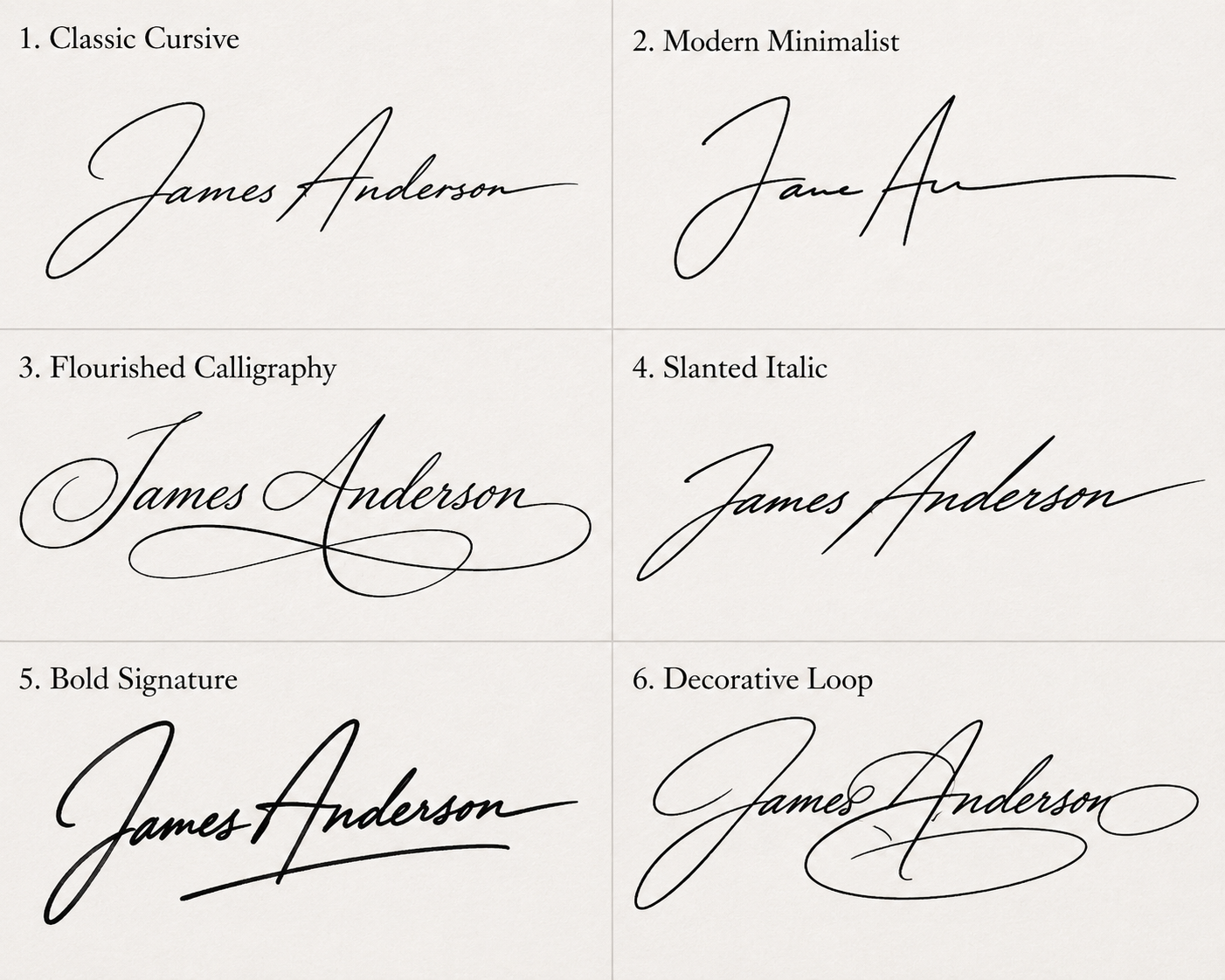
One name, six different signatures
The same name can look confident, formal, playful, or understated depending on the strokes behind it. Cycle through Flow, Ink, Formal, Grace, Sweep, and Ribbon in the Type tab to see which one matches how you actually want to sign.
What does your signature say about you?
Graphologists have long read personality into the way people sign — the size of the letters, the slant of the strokes, whether the name is even legible. Whether or not you take the analysis literally, these traits are a useful way to decide what impression you want your own signature to give. Spot the one that sounds like you, then recreate it in the generator above.
Confident and outgoing
A signature that takes up space signals someone comfortable being noticed. Big, rounded letters read as sociable and self-assured — common among performers and salespeople.
Focused and detail-minded
Compact, carefully formed letters suggest concentration and precision. People with small signatures often prefer their work to speak louder than their name.
Fast-moving and private
An unreadable signature is classic among doctors and executives who sign constantly. It signals speed, impatience with formality, and a preference for keeping some things to yourself.
Self-assured and emphatic
Underlining your own name is literally underscoring yourself. It's associated with people who want their word to carry weight — a favorite of leaders and founders.
Optimistic and ambitious
A signature that climbs as it moves across the page is read as forward-looking and energetic — the strokes literally point toward where the signer is heading.
Open and straightforward
When every letter is readable, the signer is showing you exactly who they are. Clear, legible signatures suggest transparency and comfort with accountability.
Efficient and reserved
Signing with initials keeps things quick and keeps the full name back. It reads as pragmatic and a little guarded — a signature built for volume, not ceremony.
Authoritative and formal
Strong, upright capitals — especially on the first letters — project structure and authority. This style is common on legal and institutional documents.
Creative and expressive
Extra loops, long tails, and decorative flourishes turn a name into a small piece of art. Embellished signatures belong to people who treat style as part of the message.
Made for wherever you need to sign
-
Freelancers and contractors
Sign invoices and proposals without opening design software — try the signature built for PDF contracts.
-
Students and job seekers
Add a signature to cover letters, forms, and applications in seconds, no scanner required.
-
Professionals building an email footer
Pair your signature mark with your title and contact details using the email signature generator.
-
Anyone who dislikes their handwriting
Get a clean, legible signature for digital use without changing how you actually sign in person.
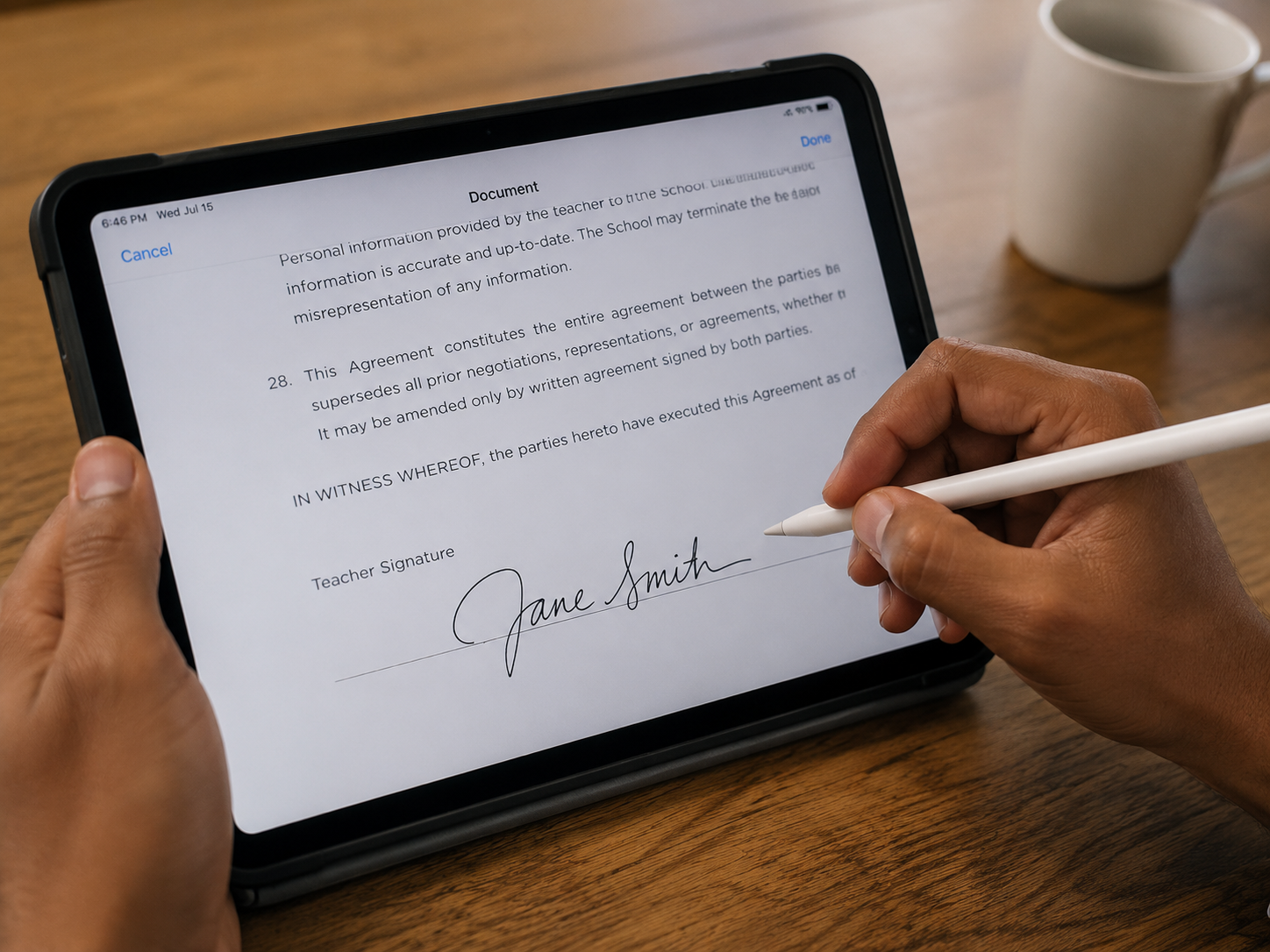
Famous signatures and what makes them work
Some signatures are so distinctive they became part of the person's brand. Here's what history's best-known signers did with their names — and what you can borrow from each. Recreations below are stylized interpretations, not the original autographs.
Albert Einstein
Einstein signed with a smooth, compact, flowing hand — modest for one of history's most famous names. The steady rhythm and connected letters mirror the focus of someone more interested in the work than the autograph.
Barack Obama
Obama's signature is built around two oversized initials — a dramatic looping B and O — with the remaining letters compressed almost to a line. It's a masterclass in making initials do the work of a whole name.
Bill Gates
Gates signs with unusual clarity — every letter readable, evenly sized, and calmly spaced. It reflects the engineer's instinct for legibility: a signature designed to be understood, not admired.
Bruce Lee
Lee's autograph combined sharp, angular English strokes with the discipline of Chinese calligraphy. The result is fast and controlled at the same time — exactly like his movement.
Elon Musk
Musk's signature is a rapid scrawl with an exaggerated initial E that dissolves into a long trailing line. It's the signature of someone signing at speed — initials up front, momentum for everything else.
Walt Disney
Disney's looping, playful signature was so distinctive it literally became the company logo. The swooping D and flowing tail prove a signature can double as a brand mark.
Steve Jobs
Jobs signed in a light, minimalist lowercase hand — no capitals, no flourish, no wasted stroke. It's the same design philosophy as the products: remove everything that isn't essential.
Pablo Picasso
Picasso underlined his surname with a confident horizontal stroke, turning every autograph into a composition. His signature was so valuable that a signed napkin could reportedly settle a restaurant bill.
Warren Buffett
Buffett's signature is neat, conservative, and fully legible — no theatrics, no oversized initials. It matches the investing style: steady, consistent, and built for the long term.
Oprah Winfrey
Winfrey signs with warm, rounded, generous letters and a sweeping O. Rounded forms read as approachable and open — a signature that greets you rather than dismisses you.
John Hancock
The most famous signature in American history — so large and flamboyant on the Declaration of Independence that "John Hancock" became a synonym for the word signature itself.
Leonardo da Vinci
Leonardo famously wrote in mirror script, right to left — even his name. His signatures are rare and deliberate, a reminder that scarcity and craft can matter more than flourish.
Want a signature with the same presence? Pick the style that matches — bold initials, a clean legible hand, or a fast scrawl — and build yours in the signature generator, or let the AI signature generator pair a style for you.
The five types of signatures, explained
"Signature" covers everything from wet ink on paper to cryptographic certificates. Knowing which type a document actually needs saves you from over-engineering a simple form — or under-signing a regulated contract.
Wet ink signature
The traditional handwritten signature on a physical document. Still required for a shrinking set of documents — wills in many jurisdictions, some notarized deeds, and certain court filings. For everything else, electronic alternatives are now standard.
Typed electronic signature
Your name rendered in a script font and placed on a document — exactly what the typed signature generator creates. Under laws like the ESIGN Act, a typed signature is just as valid as ink for most agreements, as long as both parties intend to sign.
Drawn electronic signature
A signature drawn with a mouse, finger, or stylus, like the handwritten signature generator produces. Legally equivalent to a typed one, but it looks like your real autograph — which many people prefer on contracts and letters.
Click-to-sign / clickwrap
Ticking "I agree" or clicking an Accept button. No name image involved, yet courts routinely enforce these for terms of service and software licenses. The signature is the recorded act of clicking, not a mark.
Digital signature
A certificate-based technology that mathematically proves who signed and that the document hasn't changed since. Used by platforms like DocuSign and required in some regulated industries. A signature image can sit on top of one, but the security lives in the certificate.
For most everyday documents
Invoices, proposals, permission slips, offer letters, and routine contracts are fine with a typed or drawn electronic signature. Reach for certificate-based digital signatures when a platform, regulator, or counterparty specifically requires them.
Are generated signatures legally binding?
In most situations, yes. The three laws that matter most treat electronic signatures as equal to ink:
-
ESIGN Act (United States, federal)
Since 2000, a contract can't be denied legal effect just because it was signed electronically. A typed or drawn signature counts when the signer intends it to.
-
UETA (49 U.S. states)
The state-level counterpart to ESIGN. Together they make electronic signatures enforceable for the vast majority of business and personal agreements in the U.S.
-
eIDAS (European Union)
Recognizes three tiers — simple, advanced, and qualified electronic signatures. A generated signature image is a simple electronic signature, admissible in court across the EU.
The main exceptions are documents with special formality rules: wills and codicils, some family-law documents, notarized real-estate transfers, and court orders. When a document says "wet ink required," take it literally. For the full breakdown, read our guide on whether an online signature is legally binding.
What makes an electronic signature hold up
Courts care less about what the signature looks like and more about the circumstances around it. Four things do the heavy lifting:
Intent to sign
The signer meant the mark as their signature — placing your generated PNG on a contract demonstrates exactly that.
Consent to do business electronically
Both parties agreed, explicitly or by conduct, to handle the document electronically.
Attribution
The signature can be connected to the person — through the email account it was sent from, an audit trail, or surrounding correspondence.
Record retention
Each party keeps a copy of the signed document that can be reproduced later.
Common questions
Is this signature generator really free?
Yes. Typing a name, previewing every style, adjusting size and slant, and downloading a transparent PNG signature costs nothing and doesn't require an account.
Will my signature be legally valid?
In most cases, yes — electronic signatures are recognized under laws like the U.S. ESIGN Act and the EU's eIDAS regulation. Rules vary by document type and country, so for anything high-stakes it's worth reading our guide on whether an online signature is legally binding.
Do I need to create an account?
No. Every tool works without signing up. You type or draw your signature, download it, and that's it.
Is my name or signature stored anywhere?
No. Signatures are drawn directly in your browser using HTML canvas and never sent to a server. See the Privacy Policy for details.
What file format do I get?
Every download is a high-resolution transparent PNG that stays crisp and drops cleanly onto documents, PDFs, and email footers on any background.
How do I create a signature online?
Type your name into the generator at the top of this page, pick one of the six signature styles, adjust the size, slant, and ink color, and click Download PNG. If you'd rather sign by hand, switch to the Draw tab and sign with your mouse, trackpad, or finger.
How do I make a cursive signature from my name?
Use the Type tab and choose any of the script styles — Flow, Ink, Formal, Grace, Sweep, or Ribbon — to instantly render your name in cursive. The typed signature generator lets you compare every cursive font side by side.
How do I add my signature to a PDF?
Download your signature as a transparent PNG, then insert it into the PDF using your PDF reader's image or fill-and-sign tool. Our signature for PDF tool sizes the output specifically for contracts and forms.
How do I add a signature in Word or Google Docs?
In Word, use Insert → Pictures and select your downloaded PNG; in Google Docs, use Insert → Image. Because the background is transparent, the signature sits cleanly over signature lines without a white box around it.
What's the difference between an electronic and a digital signature?
An electronic signature is any mark used to sign electronically — like the PNG you create here. A digital signature is a cryptographic technology that verifies a document hasn't been altered, usually applied by dedicated signing platforms. Many documents only need the first; regulated industries sometimes require the second.
Is it safe to use an online signature generator?
It depends on the tool. Many generators upload your name or drawn signature to their servers. This one doesn't — everything renders locally in your browser with HTML canvas, so your signature never leaves your device.
How do I choose a good signature style?
Decide what you want it to say: legible styles read as open and straightforward, bold initials project authority, and fast scrawls signal efficiency. Try your name in all six styles above, or browse the famous-signature examples on this page for inspiration.
Can I make a signature on my phone?
Yes. The whole site works on mobile — typing works exactly the same, and the Draw tab accepts finger or stylus input, which often produces a more natural signature than a mouse.
How do I create an email signature?
Use the email signature generator to combine your signature mark with your name, title, and contact details, then copy the finished footer straight into Gmail, Outlook, or Apple Mail.